Budget-Friendly Energy Monitors Under $50: A 2026 Guide to
Budget-Friendly Energy Monitors Under $50: A 2026 Guide to Saving Money on Your Bill Discover the best budget energy monitors that won’t break your bank while still providing valuable insights into your homes energy usage. Whether you’re looking to reduce electricity bills or simply understand where your power is going, these affordable devices are a great start. Product Overview and Key Specs Kill A Watt Connect Display: 1-line LCD display Connectivity: Wi-Fi (802.
Budget-Friendly Energy Monitors Under $50: A 2026 Guide to Saving Money on Your Bill
Discover the best budget energy monitors that won’t break your bank while still providing valuable insights into your homes energy usage. Whether you’re looking to reduce electricity bills or simply understand where your power is going, these affordable devices are a great start.
Product Overview and Key Specs
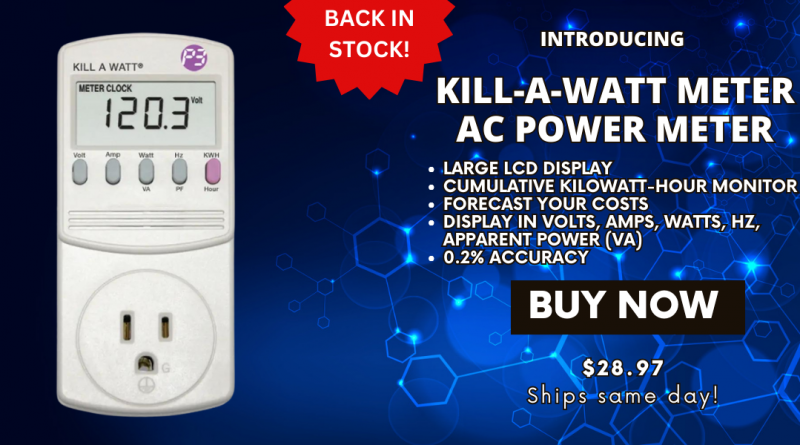
Kill A Watt Connect
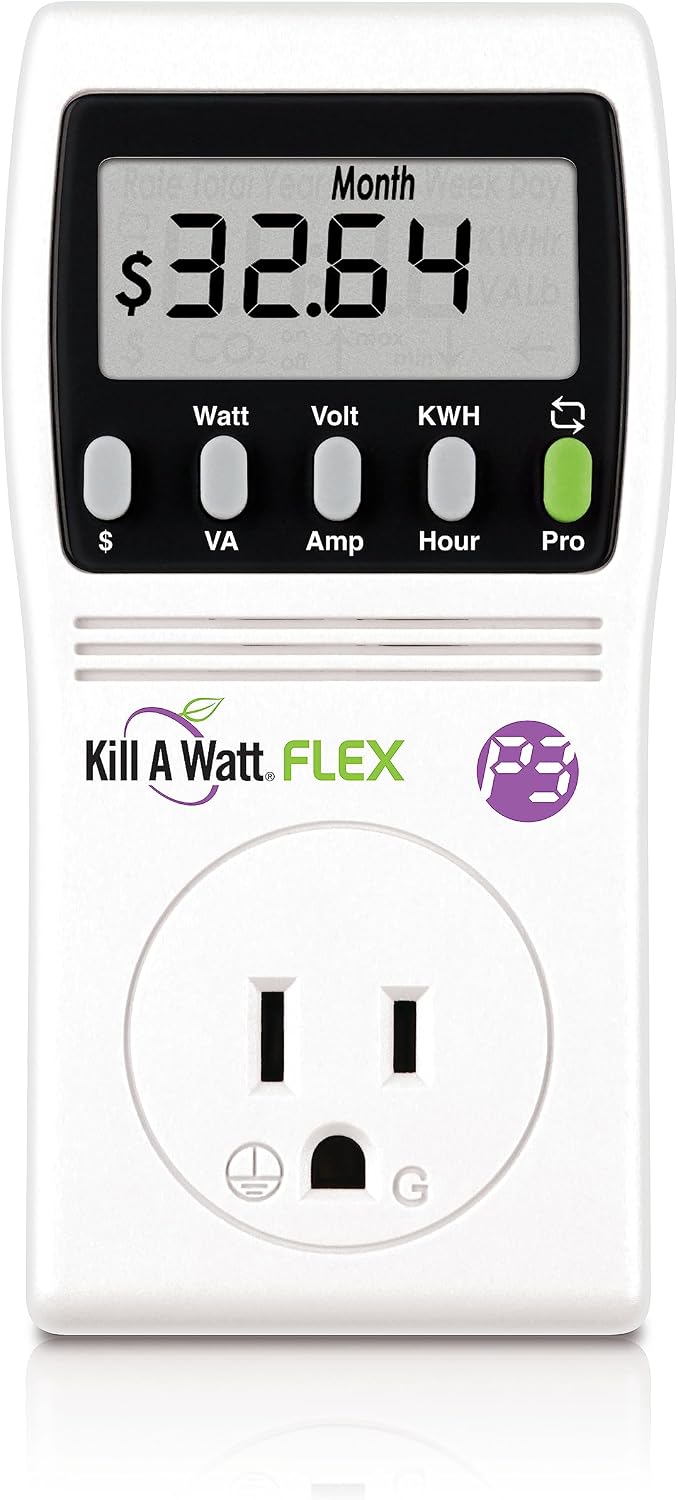
- Display: 1-line LCD display
- Connectivity: Wi-Fi (802.11 b/g/n)
- Price: $35-$40
- Key Features:
- Measures voltage, current, energy consumption, and power factor.
- Offers a detailed breakdown of kilowatt-hours used over time.
- Compatible with iOS and Android via free app.
Kasa Matter Smart Plug KP125M
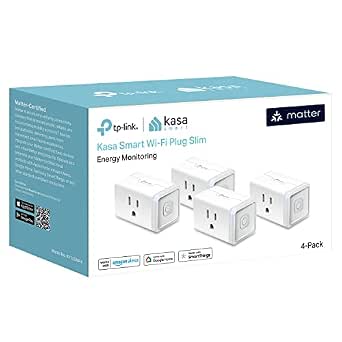
- Display: No display (entirely digital interface)
- Connectivity: Wi-Fi (802.11 b/g/n) and Bluetooth LE
- Price: $39-$45
- Key Features:
- Monitors energy usage of connected devices.
- Includes a built-in Wi-Fi smart plug for remote control via mobile app.
- Supports voice commands through Amazon Alexa.
Setup Experience
Setting up the Kill A Watt Connect is straightforward. It takes approximately 10 minutes to connect it to your Wi-Fi network and download the free mobile app. Once connected, you can start tracking energy usage immediately without any additional steps or apps required. For the Kasa Matter Smart Plug KP125M, setup also requires approximately 10-15 minutes but involves downloading a dedicated app for full functionality. This app allows you to not only monitor the devices energy consumption but also control it remotely.
Daily Use Experience
Kill A Watt Connect
Imagine you wake up in the morning and want to check the energy usage of your fridge. You plug the Kill A Watt Connect into an outlet, connect it to your Wi-Fi network, and open the app on your phone or tablet. The app displays a clear breakdown of how much power your fridge is consuming over time. This information helps you understand if there are any inefficiencies that could be addressed.
Kasa Matter Smart Plug KP125M
Now consider a scenario where you’re trying to monitor and manage the energy usage of your home offices printer. You plug in the Kasa Matter Smart Plug KP125M, connect it to Wi-Fi, and open the app on your smartphone or tablet. The app provides real-time data on how much power the printer is using, and you can even control its power settings via voice commands from Alexa. This makes it easy to ensure that devices are turned off when not in use.
What Competitors Do Better
Compared to other budget energy monitors like the TP-Link Kasa Smart Plug KP105, which offers a slightly lower price point at $34 but lacks detailed energy tracking features. The TP-Link device is more focused on remote control and smart home integration rather than comprehensive energy consumption monitoring.
Pros and Cons
Kill A Watt Connect
Pros:
- Detailed energy consumption breakdown.
- Easy to set up and use.
- Compatible with most Wi-Fi networks.
Cons:
- LCD display can be hard to read in low light.
- No remote control capabilities.
Kasa Matter Smart Plug KP125M
Pros:
- Built-in smart plug for convenient device management.
- Voice command support through Alexa.
- No need to purchase additional hardware.
Cons:
- Limited energy consumption tracking compared to standalone monitors like the Kill A Watt Connect.
- No physical display, making it harder to quickly check usage without using the app.
The Verdict
Which One to Buy
If you’re looking for a comprehensive device that provides detailed insights into your homes energy usage, the Kill A Watt Connect is the better choice. Its LCD display and app provide clear, actionable information, making it easier to identify areas where you can save money.
On the other hand, if convenience and remote control are more important to you, especially with voice commands, then the Kasa Matter Smart Plug KP125M might be a better fit. It offers built-in smart plug functionality and Alexa integration for hands-free energy management.
FAQ
Q: Are these devices easy to install?
A: Both the Kill A Watt Connect and Kasa Matter Smart Plug KP125M are user-friendly, with setup processes taking approximately 10-15 minutes each. The Kill A Watt Connect requires connecting it directly to your Wi-Fi network, while the Kasa Matter Smart Plug KP125M also needs you to download an app for full functionality.
Q: Can’these devices be used with non-smart home ecosystems?
A: Yes, both products are compatible with most Wi-Fi networks and can be controlled via their respective apps. The Kill A Watt Connect does not require additional hardware, whereas the Kasa Matter Smart Plug KP125M also provides smart plug functionality for remote control.
Q: Are there any compatibility issues between these devices and other home automation systems?
A: Both products should work smoothly with most existing smart home ecosystems. However, it’s always a good idea to check for specific compatibility before purchasing.
Comparison Table
| Product | Price | Key Spec 1 | Key Spec 2 | Best For |
|---|---|---|---|---|
| Kill A Watt Connect | $35-$40 | Detailed energy consumption | Easy to set up | Comprehensive tracking |
| Kasa Matter Smart Plug KP125M | $39-$45 | Built-in smart plug | Voice command support | Remote control and monitoring |
Also on Cydon Says
Related Posts: