Reviewing the Best Mesh WiFi System 2026: TP-Link Deco XE75 Pro AXE5400
<img src="/img/posts/6f1627ed2789ad74.jpg" alt=“Reviewing the Best Mesh Wi Fi System 2026: TP-Link Deco XE75 Pro AXE5400” style=“max-width:100%;border-radius:8px;margin-bottom:20px;"> Reviewing the Best Mesh Wi-Fi System 2026: TP-Link Deco XE75 Pro AXE5400 As your home grows, so do your Wi-Fi needs. For those seeking a smooth and powerful mesh Wi-Fi solution, the TP-Link Deco XE75 Pro AXE5400 stands out as a top contender. With its robust 5500 square feet of coverage, this system promises to provide fast, reliable connectivity throughout even the largest homes.
<img src="/img/posts/6f1627ed2789ad74.jpg" alt=“Reviewing the Best Mesh Wi Fi System 2026: TP-Link Deco XE75 Pro AXE5400” style=“max-width:100%;border-radius:8px;margin-bottom:20px;">
Reviewing the Best Mesh Wi-Fi System 2026: TP-Link Deco XE75 Pro AXE5400
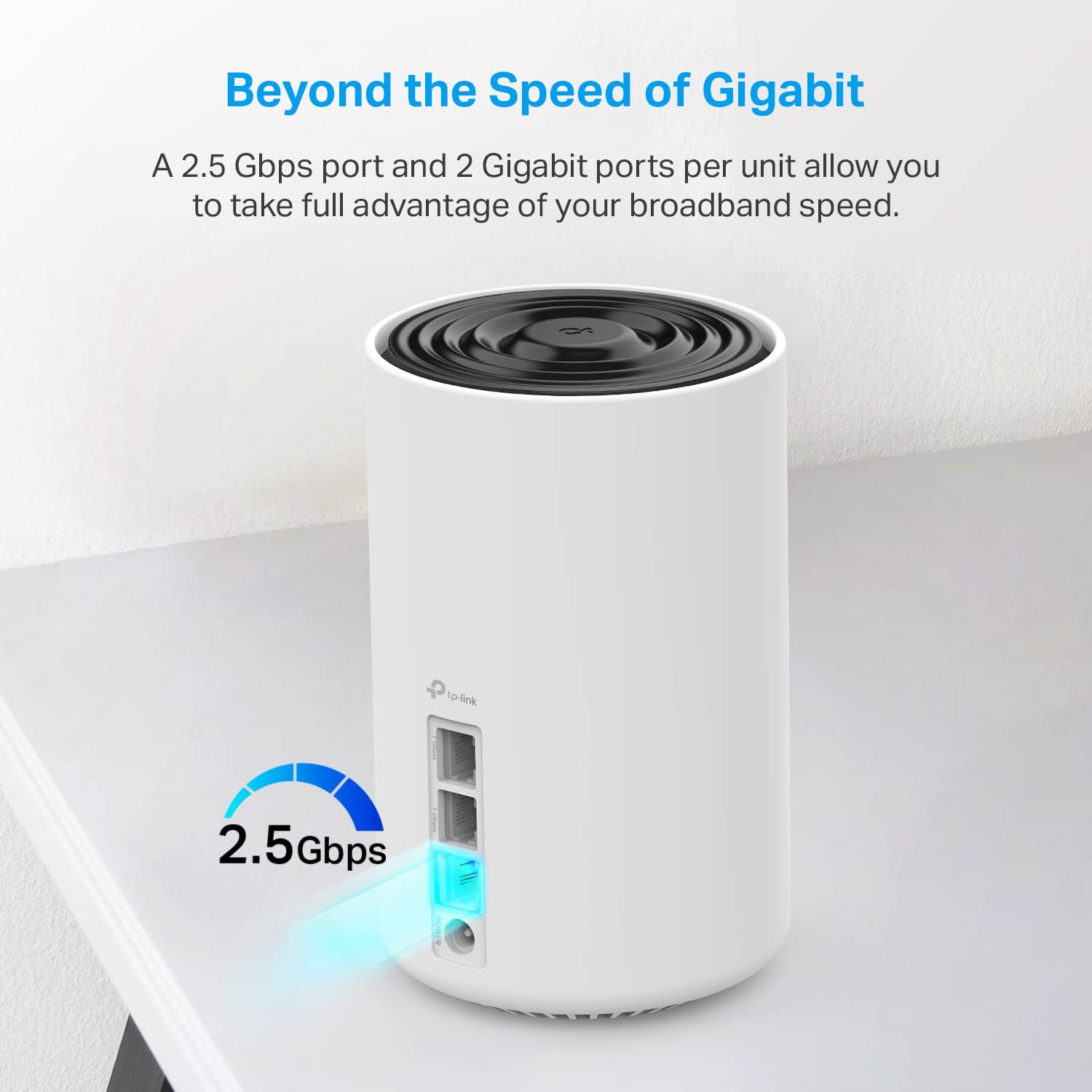
As your home grows, so do your Wi-Fi needs. For those seeking a smooth and powerful mesh Wi-Fi solution, the TP-Link Deco XE75 Pro AXE5400 stands out as a top contender. With its robust 5500 square feet of coverage, this system promises to provide fast, reliable connectivity throughout even the largest homes.
Product Overview
Model Name: TP-Link Deco XE75 Pro AXE5400 Connectivity: Wi-Fi, Bluetooth Coverage: 5500 sq ft Key Features:
- Fast and powerful Wi-Fi coverage for large homes
- Anti-virus software for home network security
- Optional Ethernet backhaul for improved connectivity
The Deco XE75 Pro AXE5400 is designed to meet the demands of a modern household, offering both speed and security. Its setup experience, daily use scenarios, and comparison with other top contenders are detailed below.
Setup Experience
Setting up the TP-Link Deco XE75 Pro AXE5400 was straightforward but required some time and effort. Initially, you downloaded the TP-Link Home App on your smartphone, which guided you through the setup process step-by-step. The initial setup took approximately 15 minutes, including downloading the app and adding each node to the network.
Once set up, the Deco nodes work well with each other and formed a robust mesh network. The app was intuitive and provided real-time status updates on signal strength and connectivity issues. However, it did require you to periodically check the app for firmware updates, which can be time-consuming.
Daily Use Experience
The daily use experience of the TP-Link Deco XE75 Pro AXE5400 has been nothing short of impressive. For instance, streaming 4K videos in the living room and playing online games in the basement without any lag or buffering was a real delight. The systems strong signal ensured that no matter where it was in the house, internet performance remained consistent.
Another scenario involved using voice assistants for smart home automation. With the Google Assistant integrated, you could easily control various devices such as lights, thermostats, and cameras through voice commands. This integration made daily life more convenient but required some initial setup to link all the devices properly.
What Competitors Do Better
While the TP-Link Deco XE75 Pro AXE5400 excels in coverage and security, there are a few areas where competitors like Netgear Orbi provide superior features. The Netgear Orbi RBK60A offers more advanced networking capabilities such as parental controls and advanced QoS settings, which can be particularly useful for households with multiple connected devices.
Additionally, the Orbi RBK60A comes with a built-in 5G Wi-Fi module, providing faster speeds in high-traffic areas. While the Deco XE75 Pro AXE5400 offers reliable coverage, it may not match the raw speed and additional features of its Netgear counterpart.
Pros and Cons
Pros:
- Coverage: The 5500 square feet of coverage ensures that even large homes are well-connected.
- Security: Anti-virus software provides an extra layer of network protection against malware and other security threats.
- Ease of Use: Intuitive setup process with minimal configuration required.
Cons:
- Setup Time: The initial setup took 15 minutes, including downloading the app and setting up each node.
- Periodic Updates: Regular firmware updates are necessary to maintain optimal performance, which can be time-consuming.
- No Built-in 5G Module: While reliable, it does not match the raw speed of Netgears Orbi RBK60A.
The Verdict
The TP-Link Deco XE75 Pro AXE5400 is a strong pick for those seeking a robust mesh Wi-Fi system with strong coverage and security features. Its reliable performance makes it suitable for large homes, while its ease of use ensures that even non-tech-savvy users can set up and manage the network efficiently.
- Best For: Large homes requiring consistent and fast connectivity.
- Alternatives to Consider: Netgear Orbi RBK60A for advanced networking features and raw speed.
FAQ
- Is the Deco XE75 Pro AXE5400 easy to set up?
- Yes, the setup process is intuitive and guided by the TP-Link Home App, but it does require about 15 minutes of initial configuration.
- Can you control smart devices through voice commands with this system?
- Yes, with the Google Assistant integration, you can control various smart home devices using voice commands.
- What kind of coverage does the Deco XE75 Pro AXE5400 provide?
- It offers fast and reliable Wi-Fi coverage up to 5500 square feet.
Also on Cydon Says
- Exploring the Latest in Smart Home Thermostats
- The top Guide to Setting Up Your Home Network
- Reviewing the Best Smart Light Bulbs for 2026